 House Control
Lights
Tap a lamp in the model to switch it. Drag across its tile to dim. Brightness, warmth and colour for every bulb.
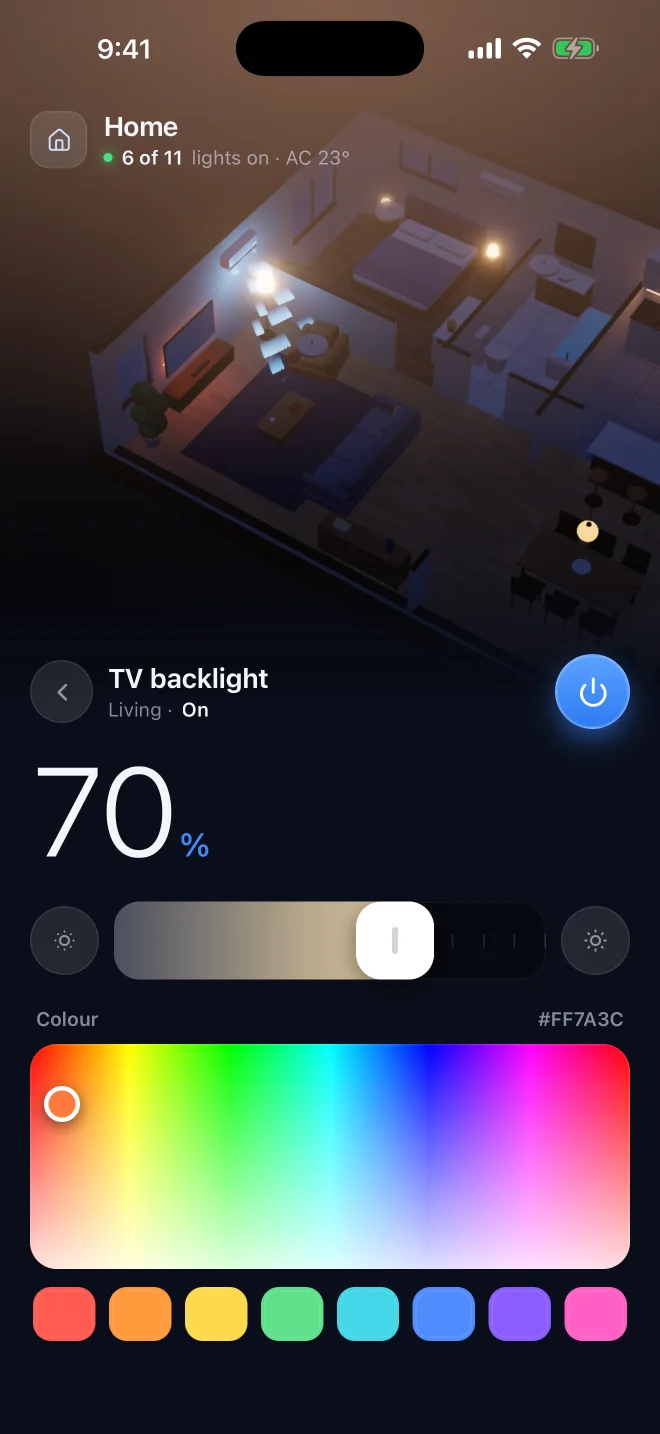
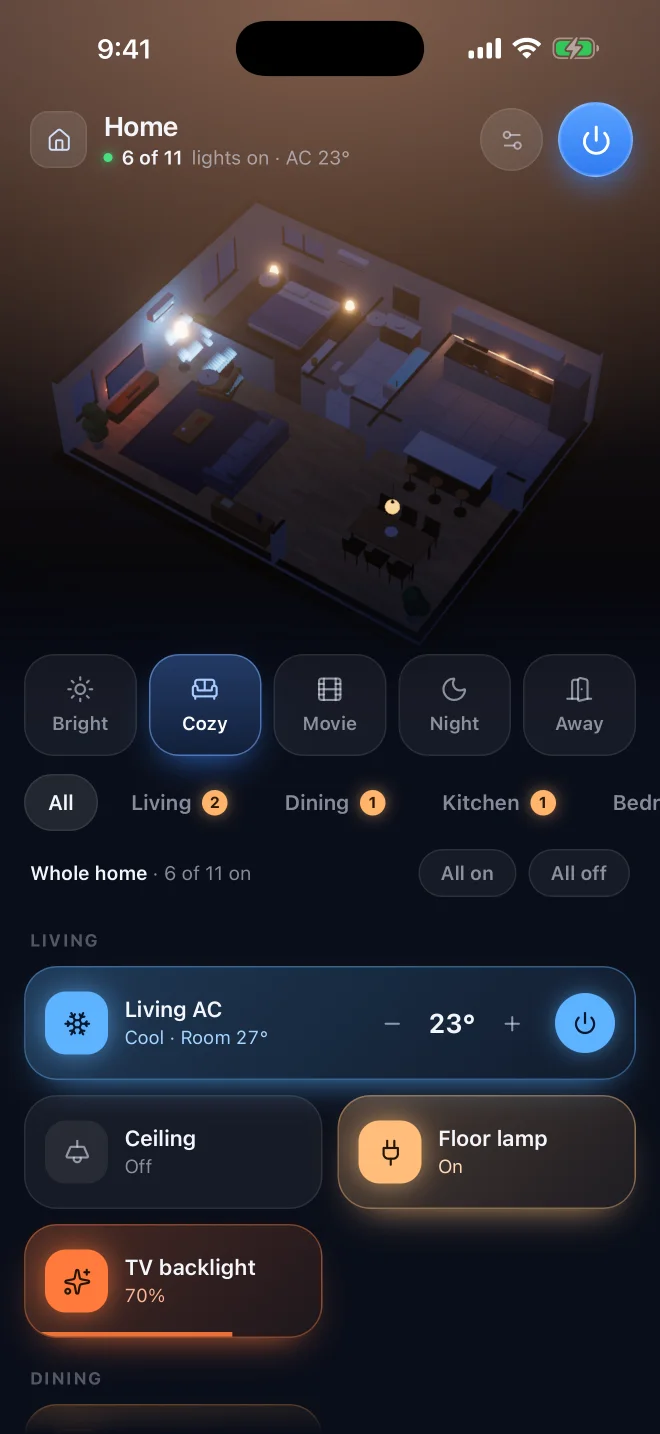
Switch lights and air conditioners on a live model of your own floor plan. On iPhone and in your Mac's menu bar.
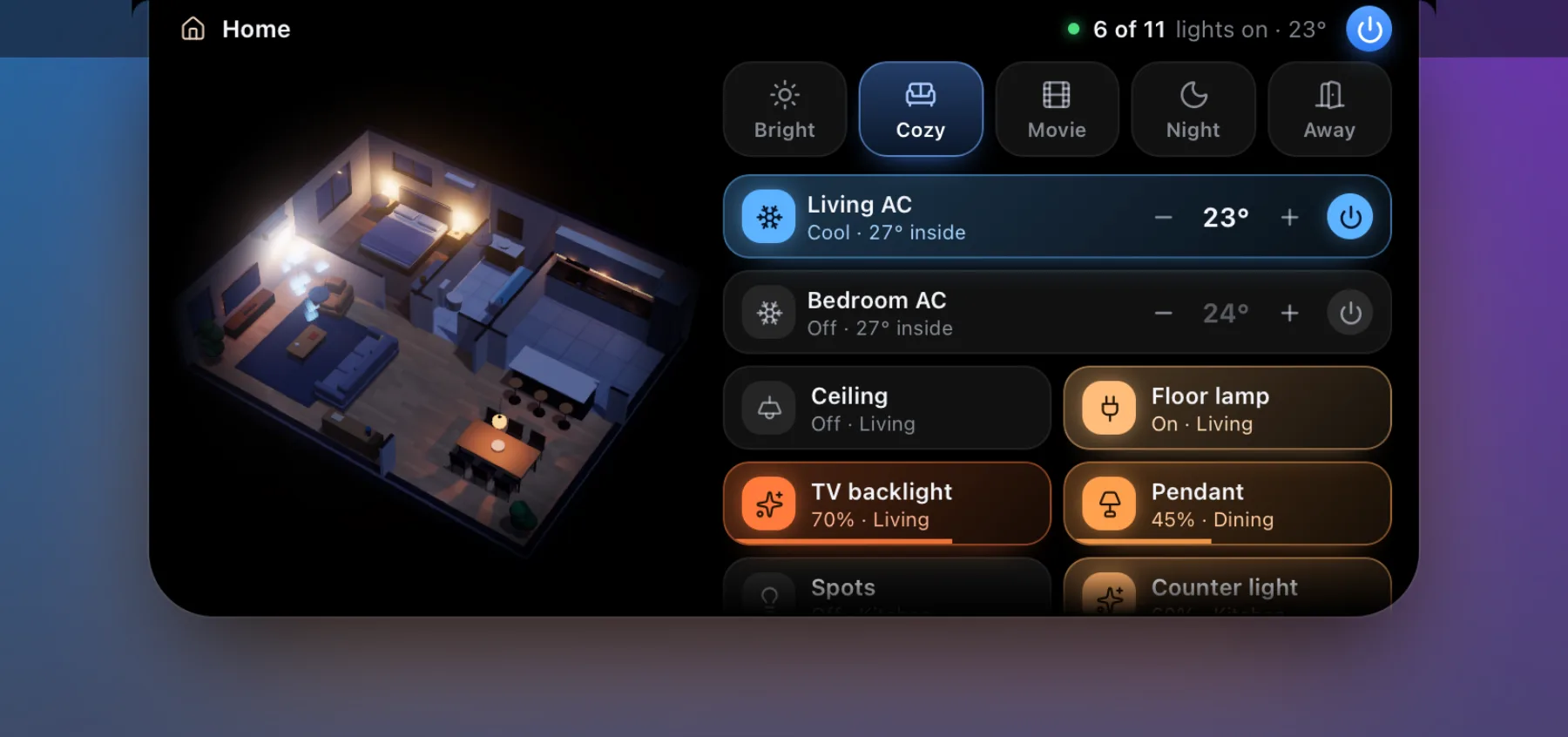
On the Mac, a panel drops down with your home in 3D. Click anywhere else and it is gone.
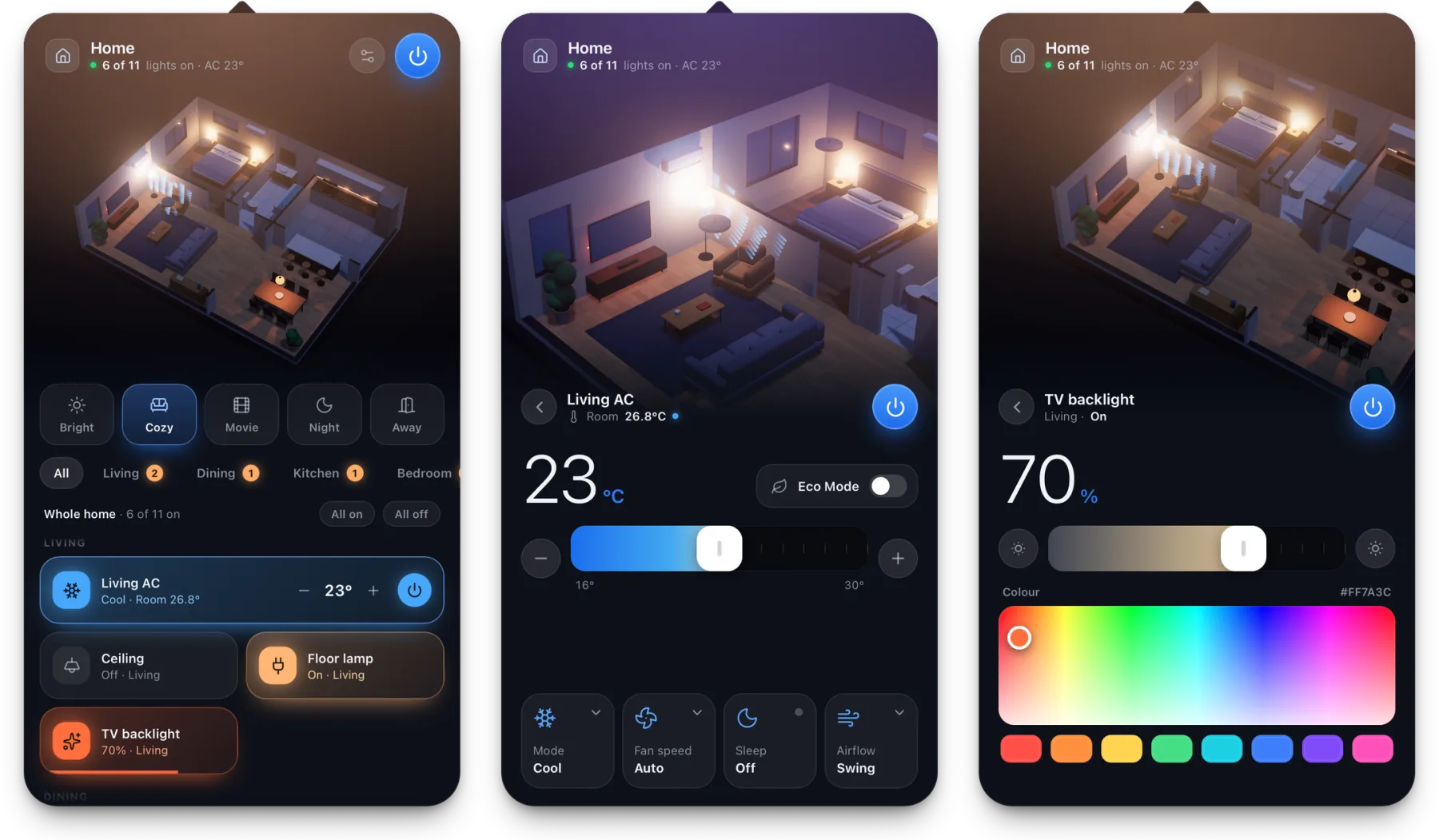
Tap a lamp in the model to switch it. Drag across its tile to dim. Brightness, warmth and colour for every bulb.
Target temperature, mode and fan speed, with the real room temperature from a sensor beside it.
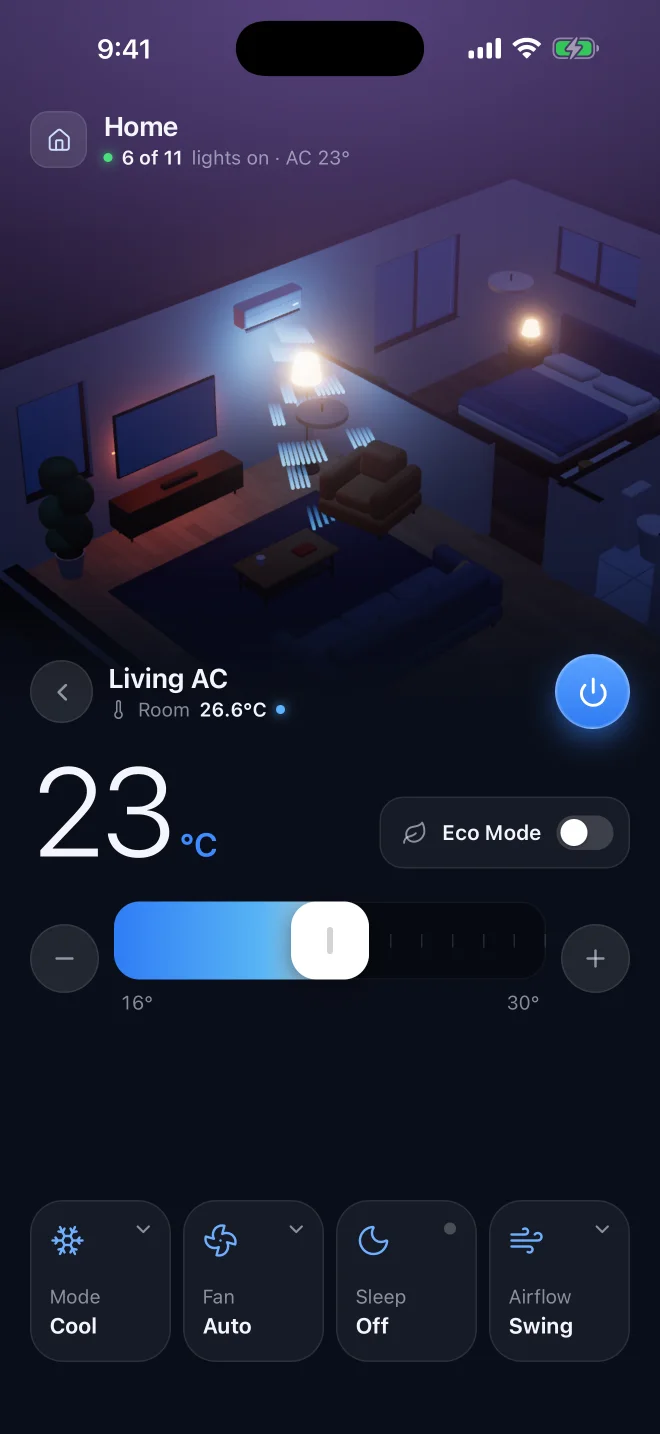
One tap sets every light and AC in the home.
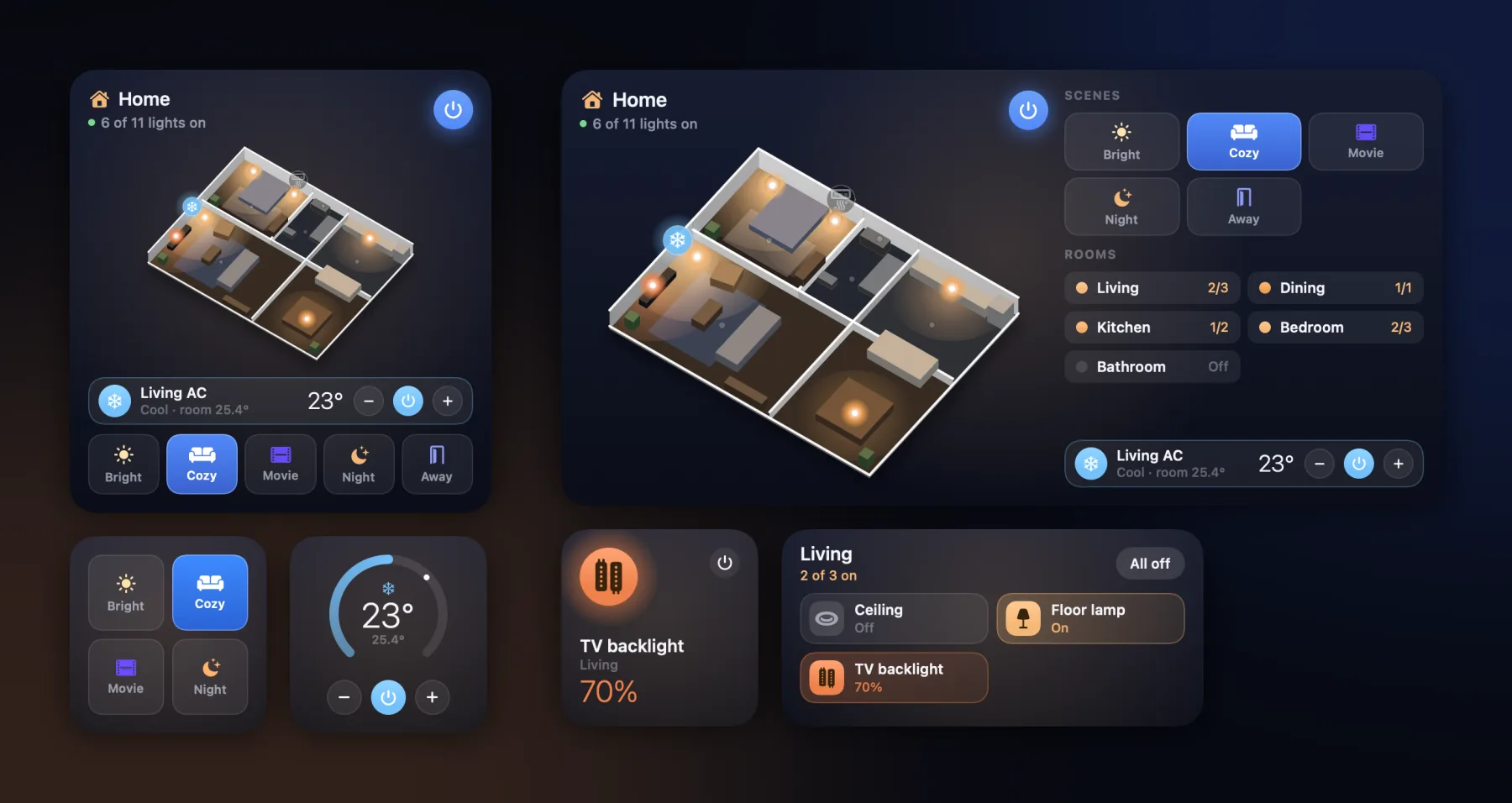
The home in 3D on the Home Screen and the Mac's desktop. Scenes and lamps on the Lock Screen and in Control Center.
Rest the pointer on the MacBook's notch and a live model of your home drops out of it, with scenes and every device one click away.
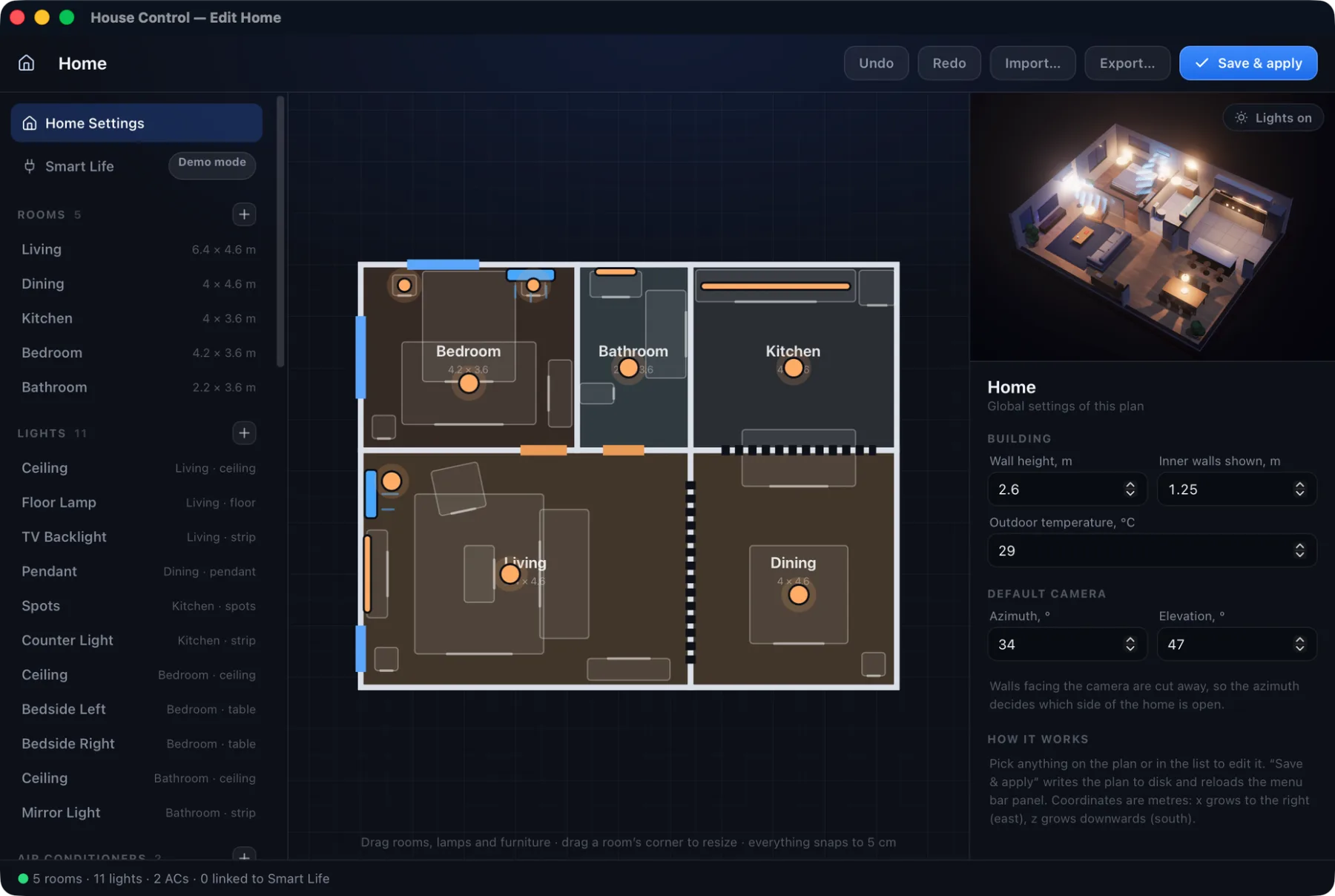
Rooms, walls, doors, windows, furniture, lamps and ACs. Draw it right on the iPhone or on the Mac: both stay in sync, whichever one you edit.
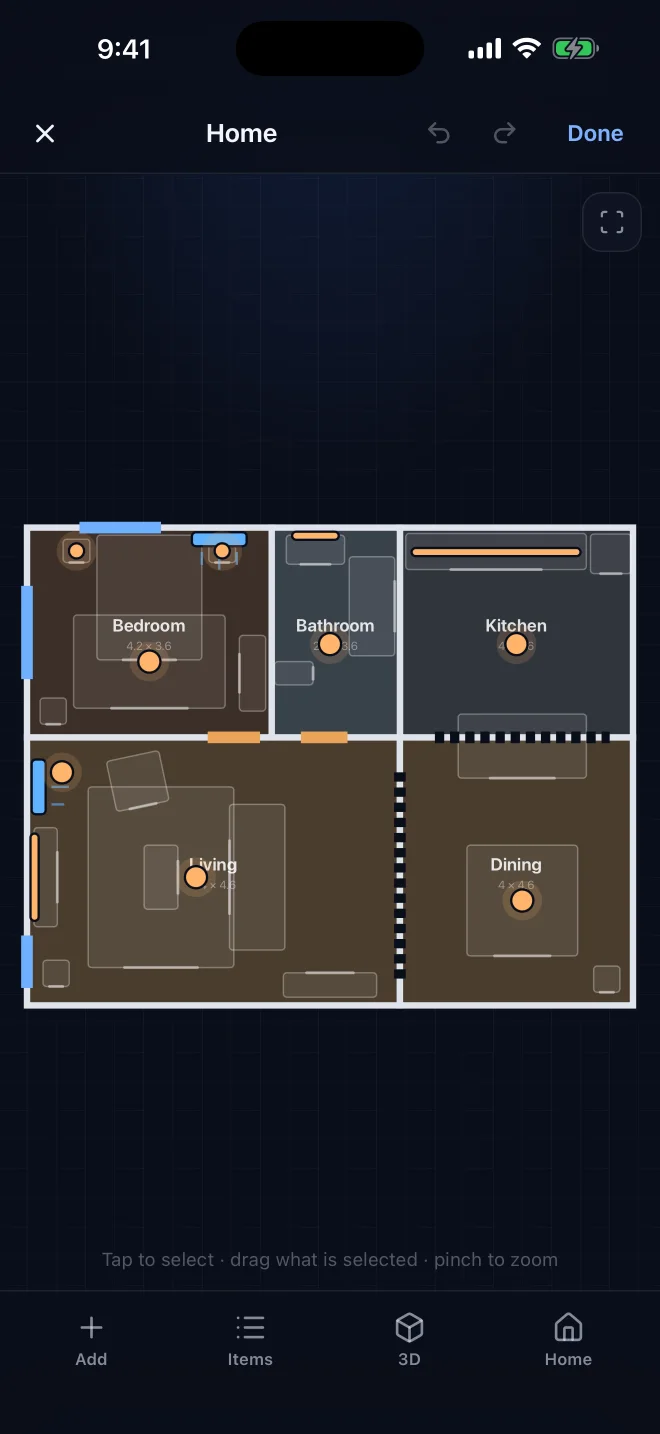
Link each lamp and AC on the plan to a real device. One home can mix them all.
Everything your server runs: Zigbee, Matter, Nest, Xiaomi, Sonoff and more.
A Hue Bridge on your Wi-Fi, found by itself. No account needed.
HomeKit and Matter accessories from the Home app.
Through your iPhoneTuya, Smart Life and the many brands built on them.
Mac appUntil you connect something, every device is simulated, so you can try it all first.
Give ChatGPT, Claude or any assistant a private link, or connect it over MCP. It switches your lights and ACs, and rebuilds rooms in 3D from your photos.
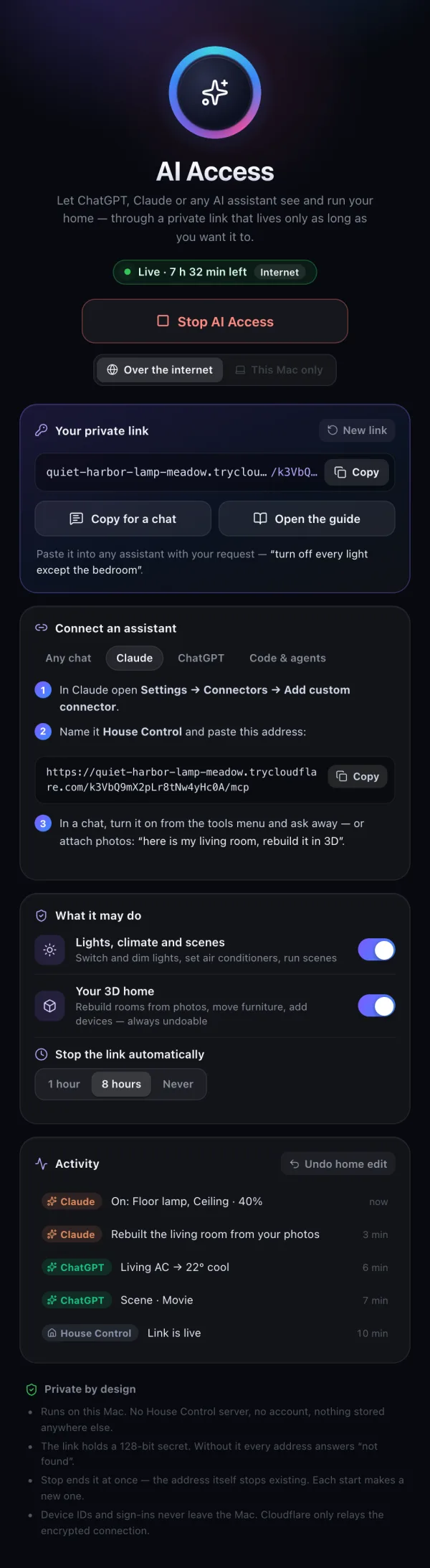
House Control talks only to your devices and the services you connect. Your plan and sign-ins stay on your iPhone and Mac. Read the privacy policy.
Free on iPhone and Mac. Open source.
The home in your pocket. Draw it, connect your devices and link them, all on the phone. Pair a Mac whenever you like.
Coming soon to the App StoreThe menu bar panel, the island, the editor, widgets and AI Access.
Download for MacThe Mac app is signed ad hoc, so macOS asks once. On macOS 15 and newer: click Done, open System Settings, Privacy & Security, and choose Open Anyway next to House Control. On macOS 13 and 14: Control-click the app, choose Open, then Open again.